
A little less to remember.

From your first photo to the details you need years later, keep your belongings and their information together.

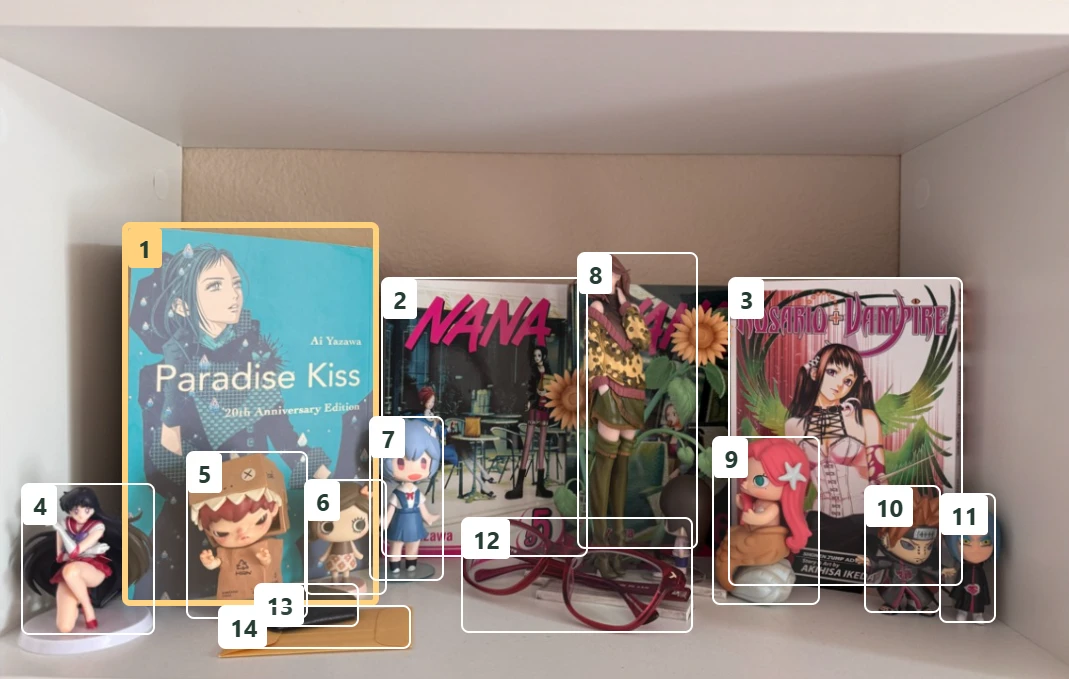
A shelf full of things.
One simple start.

Capture several items in a single photo. Allventory suggests categories, tags, attributes, and value estimates. You review the details before anything is saved.

  1. 01

    Capture

    Take a photo of the things you want to add.

  2. 02

    Review

    Check the suggestions and make them your own.

  3. 03

    Keep

    Save the items you choose to your inventory.

An actual Allventory scan: numbered frames identify each item; gold marks the active selection.

AI suggestions and value estimates can be imperfect. You stay in control.

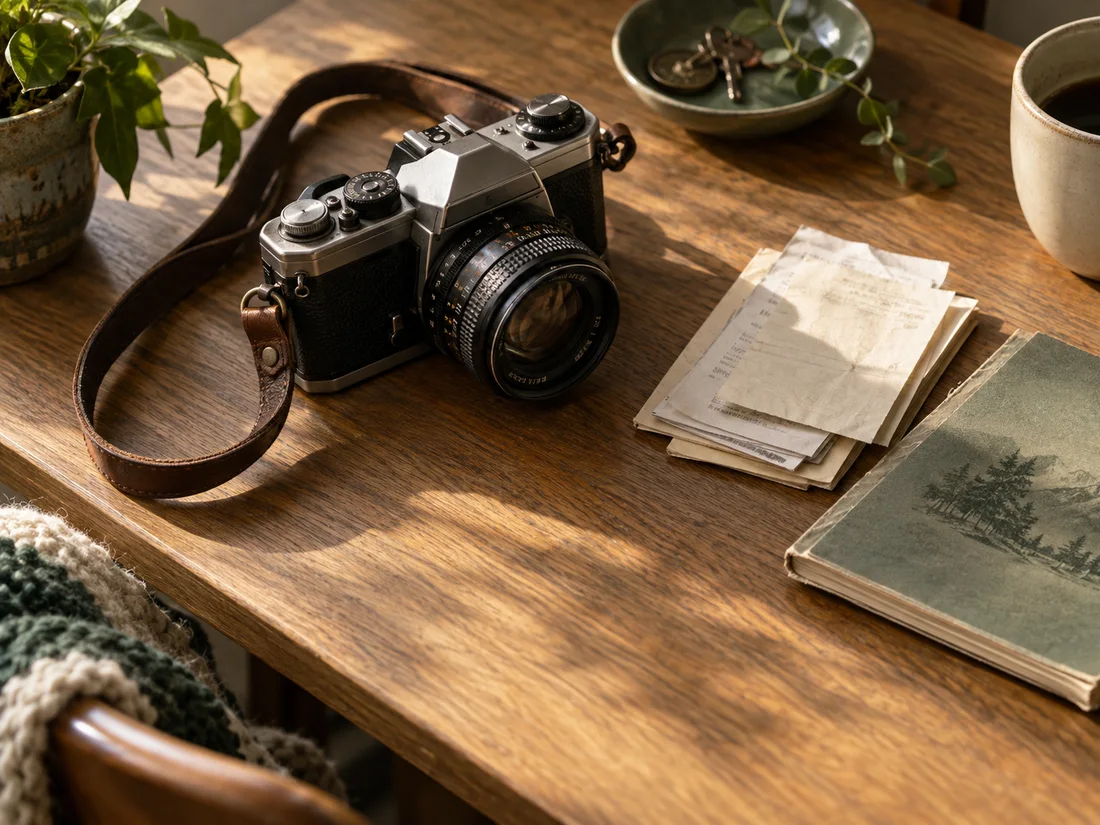
A vintage camera beside paper receipts and an instruction booklet on an oak table.

The object.
And its paper trail.

Keep photos, receipts, manuals, and instructions beside the item they belong to. Scan receipts and serial numbers to spend less time typing.

Discover the details
Receipts, labels, and the records worth keeping.Show detailsHide details
A CLOSER LOOK AT ONE ITEM

Useful today.
Ready for later.

Take a camera, a coffee machine, or a washing machine. A few details now can answer the questions you will have long after the packaging is gone.

What did I pay, and when?

Read a receipt into an existing item, or create items from its recognized line entries. Check the purchase date and amount against the original. Your purchase cost stays separate from an AI value estimate, so you can tell what you paid from what an item might be worth.

Worth keeping
The original receipt, purchase date, and purchase cost.

Which exact model do I own?

A name like “washing machine” only gets you so far when you need a spare part. Save the model in a category attribute, scan the serial number from its label, and check the result against the photo. Attach the manual for the next time you need instructions.

Worth keeping
Model details, a readable label photo, serial number, and manual.

Which documents belong in a report?

Mark purchase evidence as Receipt when you attach it. Paid insurance packages include item photos and files marked Receipt; manuals and other attachments stay out. Record a replacement estimate separately from purchase cost to keep those two figures clear.

Worth keeping
Item photos, files marked Receipt, and a replacement estimate when relevant.

Start with one item you care about.

Try it in your browser with the free 30-day Starter Trial. No payment method required, and no automatic paid subscription.

Manual entry and file attachments do not use AI credits. See how scanning uses credits.

An order that feels like yours.

Create your own tags, categories, and category attributes. Organize a record collection differently from the kitchen cupboards.

Keep important dates in sight.

Track warranties and expiration dates alongside your items, so those easily forgotten details have a home.

A shared home. A shared inventory.

Bring family members into your inventory and keep household information together.

Your inventory goes with you.

Export your data on every plan. Paid plans also include dedicated insurance reports to help document your belongings.

Ready for their next chapter.

Research resale value with a Google Lens search and prepare an eBay listing when it is time to pass something on.

PERSONAL BY NATURE. PRIVATE BY DESIGN.

Your home is personal.
So is your inventory.

Your data is encrypted in transit and at rest. Selected sensitive details and files have an additional layer of encryption.

  • Protected cloud storage
  • Access limited to your inventory members
  • Your data, available to export
How we protect your data

Take care of the details.
Get on with living.

Available on Android and in your browser. iOS is coming soon.

App Store — Coming soon
Open web app